---
url: https://sugarat.top/technology/learn/png-compress.md
description: 最近在迭代应用的时候用到了 UPNG.js 压缩 PNG 图片,这里记录分享一下使用经验,并附上完整 Demo。
---
# 纯前端实现 PNG 图片压缩 | UPNG.js
> **在线 Demo 体验地址 →:** https://demos.sugarat.top/pages/png-compress/
## 前言
最近在迭代自己的 [图床](https://imgbed.sugarat.top/) 应用,由于使用时间的累计,存储空间占用越来越大了,在做 Web 应用的时候会随手拿 [tinypng](https://tinypng.com/) 压缩一下图片。
想着给咱图床也加个压缩的功能,这样上传/访问也能省点 💰。
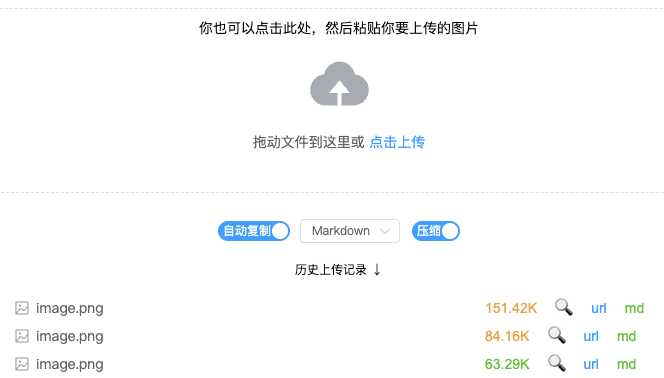
图片类型众多,常用的主要就是`PNG/JPG/GIF`。
个人使用频率最高的场景是截图上传,格式为`PNG`,就先拿 `PNG` 试手。调研了一圈开源里最流行的就是使用 [UPNG.js](https://github.com/photopea/UPNG.js) 进行 PNG 的压缩。
* [官方对比 tinypng 介绍](https://blog.photopea.com/png-minifier-inside-photopea.html#examples);
* [官方在线示例 Demo](http://upng.photopea.com/)。
## 如何判断图片是 PNG
第一步当然是判断图片类型,不然 `UPNG.js` 就不能正常工作咯,通过文件后缀 .png 判断肯定是不靠谱的。
搜索了解了一下,可以使用 `魔数` 判断:**一个PNG文件的前8个字节是固定的**。
`PNG` 的前 8 个字节是(16进制表示):`89 50 4E 47 0D 0A 1A 0A`。
我们可以拿工具看一下,我这里用 VS Code 插件 [Hex Editor](https://marketplace.visualstudio.com/items?itemName=ms-vscode.hexeditor) 查看一个 PNG 图片的 16 进制表示信息。
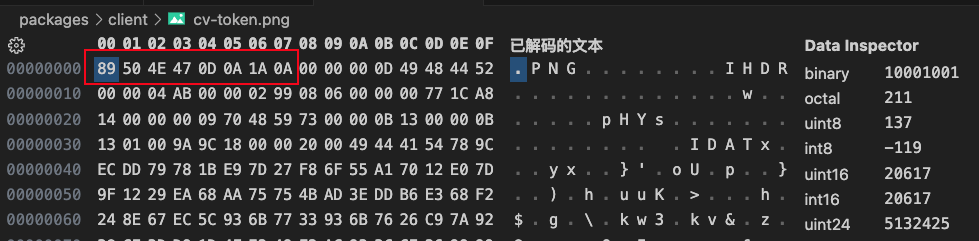
可以看到前八个字节和上面表示的一样。
于是可以根据这个特性判断,于是就有如下的判断代码。
```ts
async function isPNG(file: File) {
// 提取前8个字节
const arraybuffer = await file.slice(0, 8).arrayBuffer()
// PNG 的前8字节16进制表示
const signature = [0x89, 0x50, 0x4E, 0x47, 0x0D, 0x0A, 0x1A, 0x0A]
// const signature = [137, 80, 78, 71, 13, 10, 26, 10]
// 转为 8位无符号整数数组 方便对比
// https://developer.mozilla.org/zh-CN/docs/Web/JavaScript/Reference/Global_Objects/Uint8Array
const source = new Uint8Array(arraybuffer)
// 逐个字节对比
for (let i = 0; i < signature.length; i++) {
if (source[i] !== signature[i]) {
return false
}
}
return true
}
```
## UPNG.js
### 简介
> 一个轻量且极速的 `PNG/APNG` 编码和解码库,[Photopea](https://www.photopea.com/) 图像编辑器的主要 `PNG` 引擎。
### npm 加载
官方提供了 `npm` 包,简单引入即可使用。
安装依赖
```sh
npm install upng-js
```
核心方法就 3 个,依次调用即可
* UPNG.decode(buffer)
* UPNG.toRGBA8(img)
* UPNG.encode(imgs, w, h, cnum, \[dels])
* cnum:0 表示无损压缩,256表示有损,可以调整这个值来控制压缩质量。
**注意:压缩并不意味着一定小,对于一些已经很简单且小的图片,压缩后可能反而更大。**
下面是这个方法的最简实现。
```ts
import UPNG from 'upng-js'
async function compressPNG(file: File) {
const arrayBuffer = await file.arrayBuffer()
const decoded = UPNG.decode(arrayBuffer)
const rgba8 = UPNG.toRGBA8(decoded)
// 关键的压缩方法
// 这里 保持宽高不变,保持80%的质量(接近于 tinypng 的压缩效果)
const compressed = UPNG.encode(
rgba8,
decoded.width,
decoded.height,
256 * 0.8
)
return new File([compressed], file.name, { type: 'image/png' })
}
```
其中压缩后的宽高,压缩质量都是可以调整的。
### 可配置封装
下面方法(TS 实现),提供了一些常用的配置选项。
```ts
import UPNG from 'upng-js'
interface CompressOptions {
/**
* 压缩质量([0,1])
* @default 0.8
*/
quality?: number
/**
* 压缩后更大是否使用原图
* @default true
*/
noCompressIfLarger?: boolean
/**
* 压缩后的新宽度
* @default 原尺寸
*/
width?: number
/**
* 压缩后新高度
* @default 原尺寸
*/
height?: number
}
async function compressPNGImage(file: File, ops: CompressOptions = {}) {
const { width, height, quality = 0.8, noCompressIfLarger = true } = ops
const arrayBuffer = await file.arrayBuffer()
const decoded = UPNG.decode(arrayBuffer)
const rgba8 = UPNG.toRGBA8(decoded)
const compressed = UPNG.encode(
rgba8,
width || decoded.width,
height || decoded.height,
256 * quality
)
const newFile = new File([compressed], file.name, { type: 'image/png' })
if (!noCompressIfLarger) {
return newFile
}
return file.size > newFile.size ? newFile : file
}
```
### CDN 加载
不通过 npm 安装,也可以使用 `
```
PNG 格式化使用 `Inflate` 算法。这部分调用 [Pako.js](https://github.com/nodeca/pako) 实现,所以需要额外前置引入。
引入后,将在 window 上绑定 UPNG 变量,使用和上述 npm 给到的例子完全一致。
*代码里调用方式如下*
```js
window.UPNG.encode
// 省略 window
UPNG.encode
```
## 完整 demo
笔者将本节内容整理成了一个 Demo,可以直接在线体验。
> **在线 Demo 体验地址 →:** https://demos.sugarat.top/pages/png-compress/
大概界面如下:
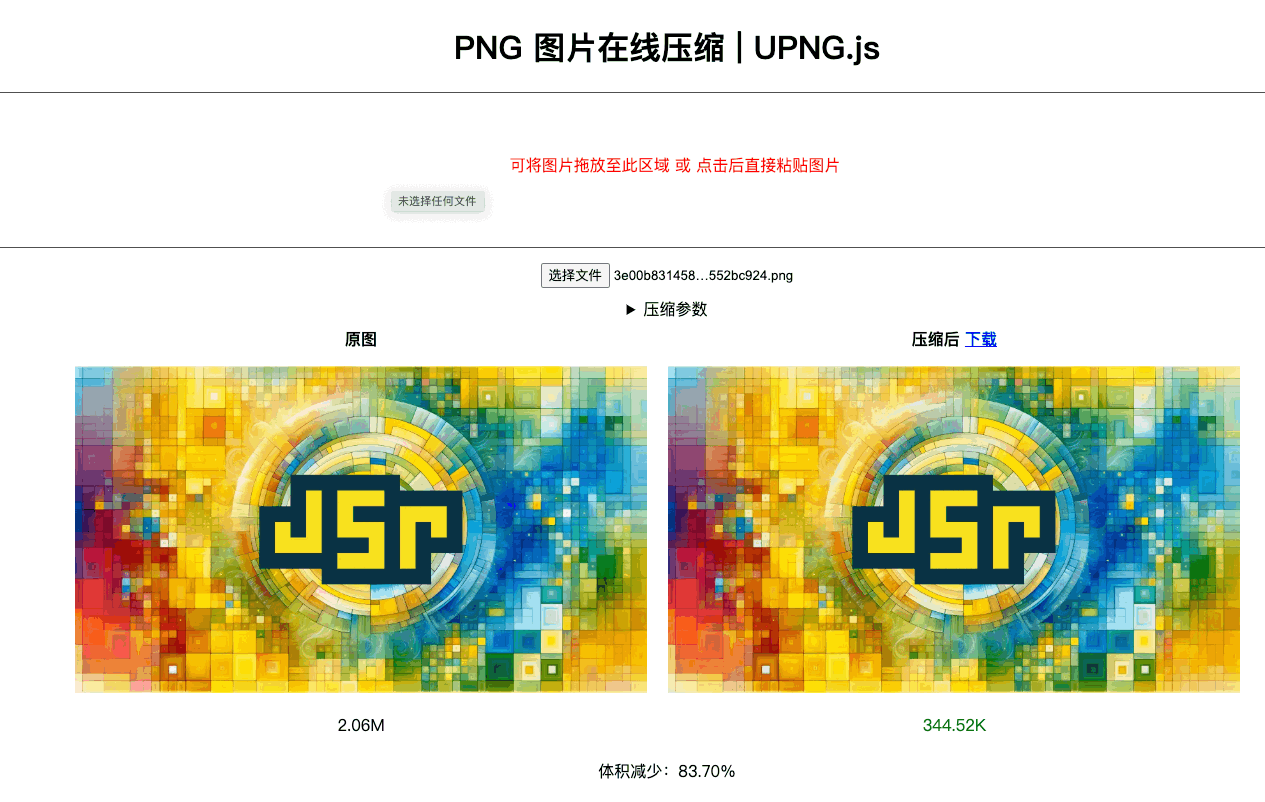
*纯血 HTML/CSS/JS,复制粘贴就能运行。*
完整源码见:[GitHub:ATQQ/demos - png-compress](https://github.com/ATQQ/demos/tree/main/pages/png-compress)
## 最后
后续将继续学习&探索一下其它格式的**纯前端压缩实现**(JPG,GIF,MP4转GIF)。