---
url: https://sugarat.top/weekly/2024-03-31.md
description: >-
① 译:编程 40 年 - 软件只是乐趣 ② CJS 和 ESM 相互兼容? ③ superjson - 复杂的JS对象序列化 ④ play-button
- 播放音视频的按钮 ⑤ Docker 快速入门 ⑥ 使用样式查询增强 CSS 变量能力 ⑦ 你需要了解的现代 CSS 特性 - 2024 春季版
---
# 视野修炼第79期 | 人很重要,软件只是乐趣
欢迎来到第 79 期的【视野修炼 - 技术周刊】,下面是本期的精选内容简介
\[\[toc]]
**也推荐大家关注一下最后的推荐内容(周刊的主要内容来源渠道)**
下面开始本期内容的介绍**ღ( ´・ᴗ・\` )比心**。
## 🔥强烈推荐
### [1. 译:编程 40 年](https://sorrycc.com/40-2/) - 软件只是乐趣
作者从 14 岁(1984)开始接触编程,到现在距离第一次编码已经过去40年了,现在每天仍然在编写代码。
> 我想不出我还愿意做其他什么生活谋生的事情。我指不出巨大的成功和令人印象深刻的壮举,但我希望能够在这个行业生存几十年,足以让我有足够的资格谈论软件开发。
呼吁读者要不断思考、学习、研究,并强调了照顾好自己和他人的重要性!
**人很重要。软件只是乐趣。**
### [2. CJS 和 ESM 相互兼容?](https://mp.weixin.qq.com/s/0_JtlCDOgF6Q_7dWDFtXAw)
现代的 js 中,主要存在 `CommonJS(CJS)` 与 `ECMAScript Module(ESM)` 两种模块系统。
在 ESM 中,可以通过某些手段加载 CJS 模块进行使用。但 CJS 中无法使用 `require` 加载 ESM 模块。
[官方文档给到的解释](https://nodejs.org/docs/latest/api/modules.html): "require 是同步加载,ESM 模块是异步加载执行的。"

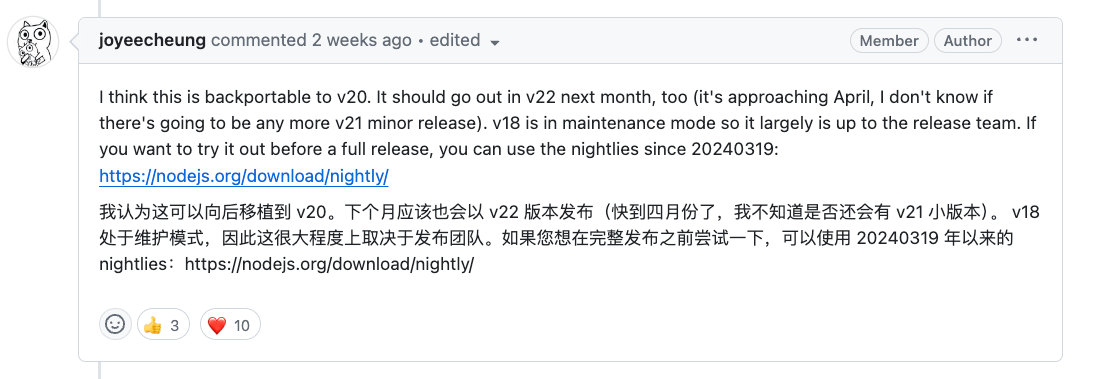
但社区大神 `joyeecheung` 提供了一个 [PR](https://github.com/nodejs/node/pull/51977),来解决这个问题。
下面是执行示例(需要使用 [node-nightly 版本](https://github.com/nodejs/node/pull/51977#issuecomment-2007706238)执行)
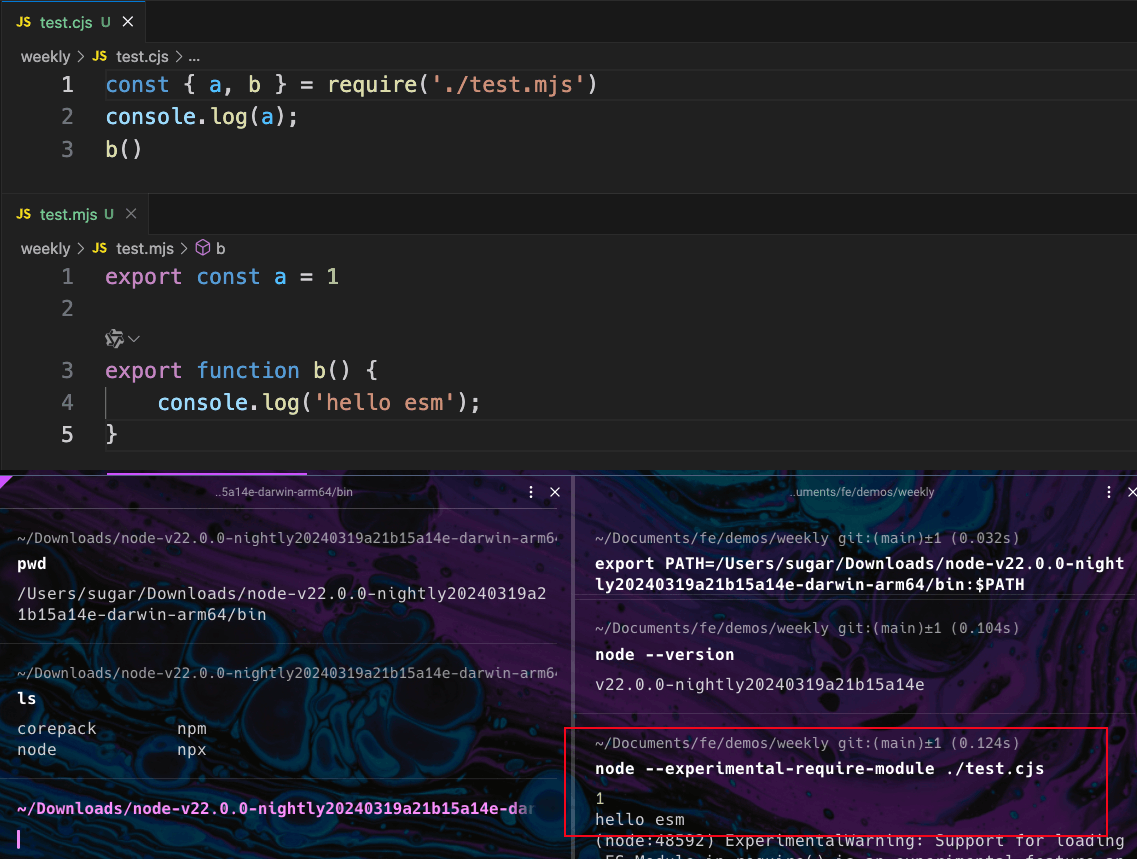
非常 Cool !👍🏻
## 🔧开源工具&技术资讯
### [3. superjson](https://github.com/blitz-js/superjson) - 复杂的JS对象序列化
序列化复杂的 `JS` 对象,支持 `undefined`, `BigInt`, `Date`, `RegExp` 等类型的序列化和反序列化
```js
import superjson from 'superjson'
const jsonString = superjson.stringify({ date: new Date(0) })
console.log(jsonString)
// {"json":{"date":"1970-01-01T00:00:00.000Z"},"meta":{"values":{"date":["Date"]}}}
```
还有另一个类似的库 [JavaScript Stringify](https://www.npmjs.com/package/javascript-stringify) !支持函数的序列化,最大程度的保留原参数类型。
```js
import { stringify } from 'javascript-stringify'
const jsonString = stringify({
date: new Date(0),
sayHelloArrowFn: () => {
console.log('say hello2')
}
})
console.log(jsonString)
// {date:new Date(0),sayHelloArrowFn:()=> {
// console.log('say hello2');
// }}
// 可以通过 eval 执行创建新的对象
const newObj = eval(`(${jsonString})`)
```
*两者都有适合各自的使用场景,前者适合 `clone` 场景,后者适合复杂配置的传递。*
### [4. play-button](https://github.com/daviddarnes/play-button?tab=readme-ov-file) - 播放音视频的按钮
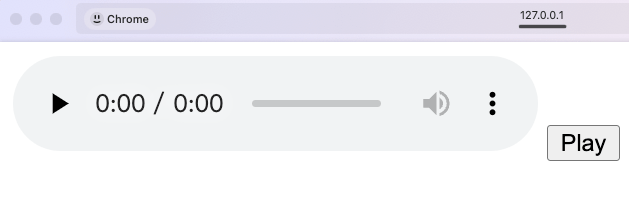
一个 Web Component 组件,支持通过按钮播放音视频,支持全屏播放。
下面是使用代码。
```html
```
点击按钮即可直接控制播放/暂停音乐。
## 📚 教程&文章
### [5. Docker 快速入门](https://docker.easydoc.net/doc/81170005/cCewZWoN/lTKfePfP)
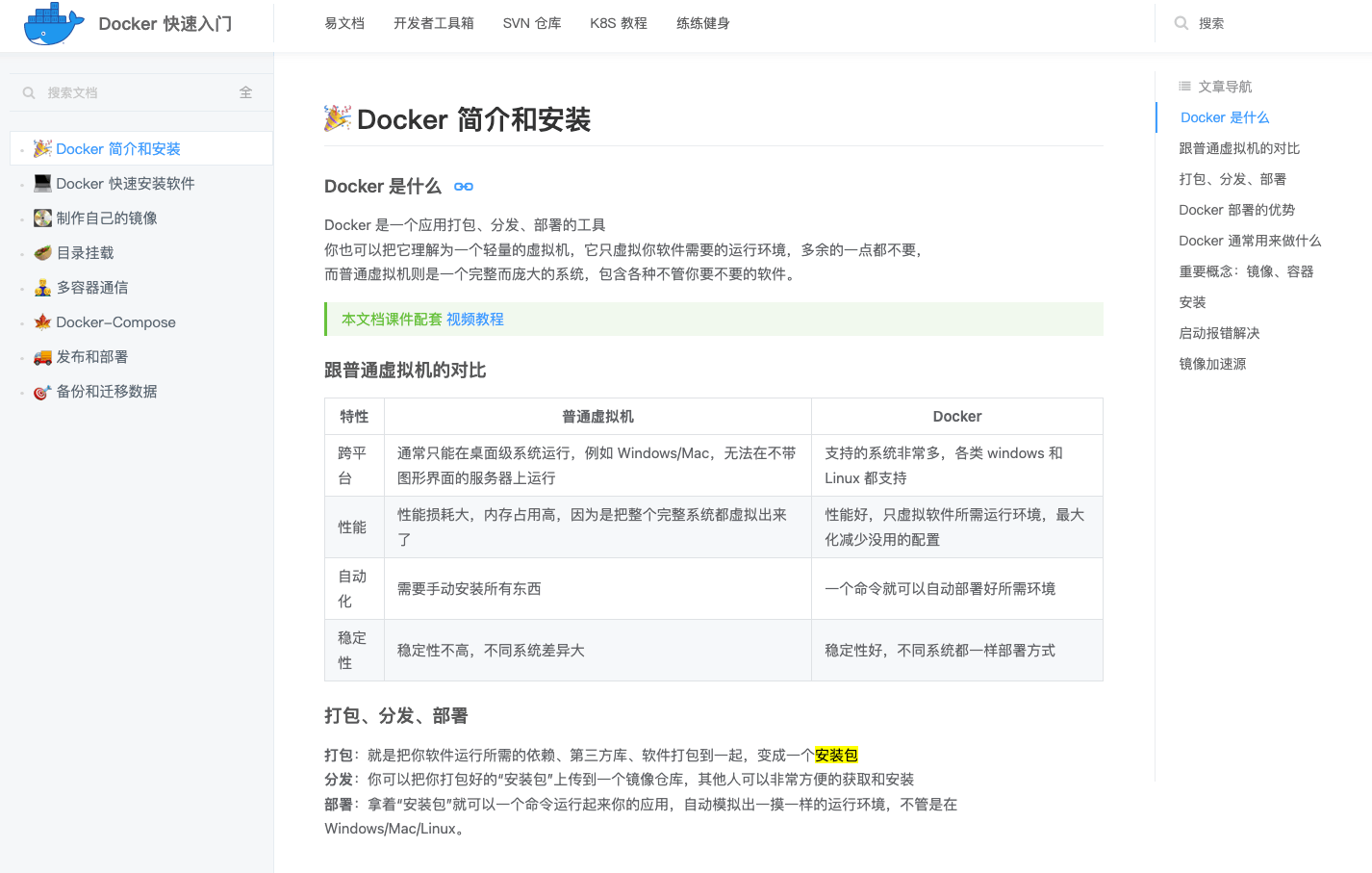
*一小时快速入门。*
### [6. 使用样式查询增强 CSS 变量能力](https://thathtml.blog/2024/03/superpowered-container-style-queries/)
下面的样式规则仅在将 `--my-var` 自定义变量设置为 123 值时才适用
```css
@container style(--my-var: 123) {
section > .do_stuff > [here] {
color: yellow;
background: maroon;
}
}
```
比如对于移动端的判断和样式影响
```css
:root {
--is-mobile: false;
@media (max-width: 500px) {
--is-mobile: true;
}
}
aside.sidebar {
font-size: 1.5rem;
line-height: 1.5;
font-weight: 600;
}
@container style(--is-mobile: true) {
aside.sidebar {
font-size: 1.1rem;
line-height: 1.25;
font-weight: 500;
}
}
```
代码是不是又更加简单了!
### [7. 你需要了解的现代 CSS 特性 - 2024 春季版](https://frontendmasters.com/blog/what-you-need-to-know-about-modern-css-spring-2024-edition/)
① 容器查询 `@container` ② `:has() 伪选择器` ③ 嵌套CSS ④ 滚动驱动动画 ⑤ 锚定(`Anchor`)定位
⑥ 限定作用域的 CSS `@scope` ⑦ `@layer` 级联层语法
*emm,文章列举了不少,每个都有详细的例子。读者了解为主,大规模用于生产估计还有很长一段时间(兼容性问题)。*
## 😛趣图
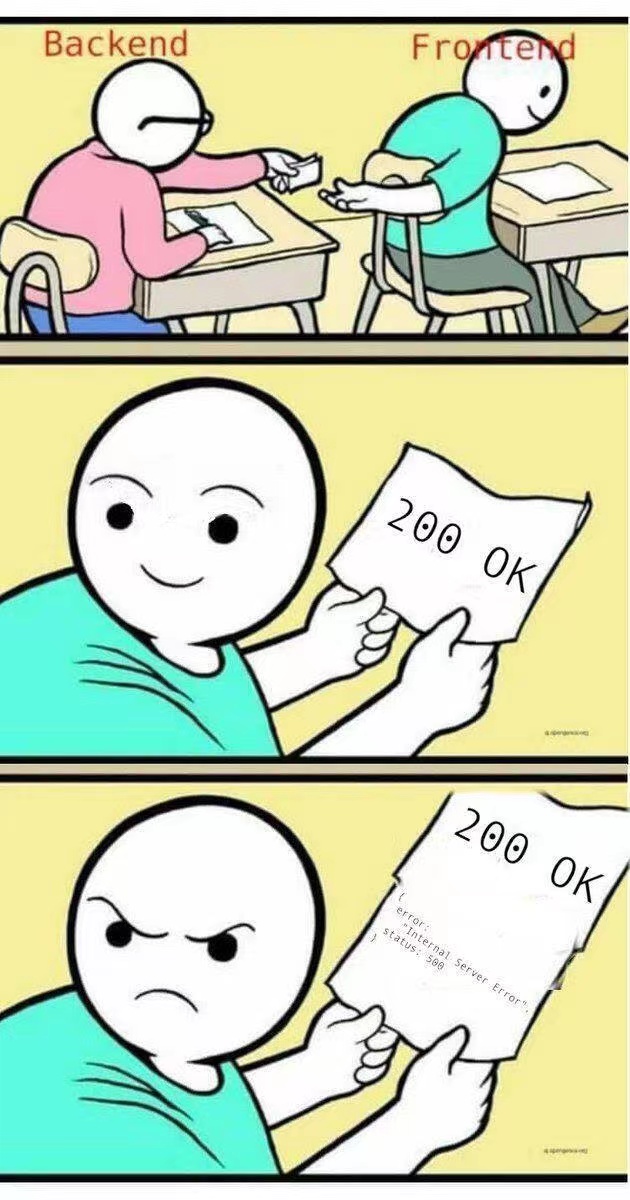
*太形象了,💩山一堆代码判断`response.data.code===0`*
***
篇幅有限,如果你还没看够,可移步后面的推荐渠道,继续游览,历史周刊(<20)[移步博客](https://sugarat.top/weekly/index.html)
## ⭐️强力推荐关注
* [阮一峰: 科技爱好者周刊](https://www.ruanyifeng.com/blog/archives.html) - 记录每周值得分享的科技内容,周五发布
* [云谦:MDH 前端周刊](https://sorrycc.com/mdh/) - 前端资讯和分享
* [童欧巴:前端食堂](https://github.com/Geekhyt/weekly) - 你的前端食堂,吃好每一顿饭
* [前端RSS](https://fed.chanceyu.com/) - 根据 RSS 订阅源抓取最新前端技术文章
* [值得一读技术博客](https://daily-blog.chlinlearn.top/) - 每天进步一点点,每天分享有料的技术文章!
* [FRE123 技术周刊精选](https://www.fre123.com/weekly) - 前后端技术周刊精选推荐信息流